Steps
Guide
Prepare The Stakeholder Review Pack
Only after the functional checks are complete should the review move into judgement.
Prepare a short review pack with the website URL, intended audience, business goal, priority pages, original benchmark links, must-have scope, launch constraints, and known decisions that should not be reopened.
Also define what counts as a valid issue: broken flow, unclear message, weak trust signal, mobile friction, missing legal or trust content, visual inconsistency, or a visible gap against the benchmark set.
Run A Point-Of-View Review
A point-of-view review is different from a generic audit. The agent should review the site from a defined perspective, such as a first-time visitor, a stakeholder checking launch readiness, or a business owner comparing the result against the benchmarks.
Use strict wording: review from this point of view, compare against these benchmarks, and return only issues that affect trust, clarity, conversion, usability, mobile experience, SEO visibility, accessibility, consent, or launch quality.
This keeps the review practical. The agent is not voting on taste. It is looking for the few things that could still damage the final result.
Create The Prioritised Fix Queue
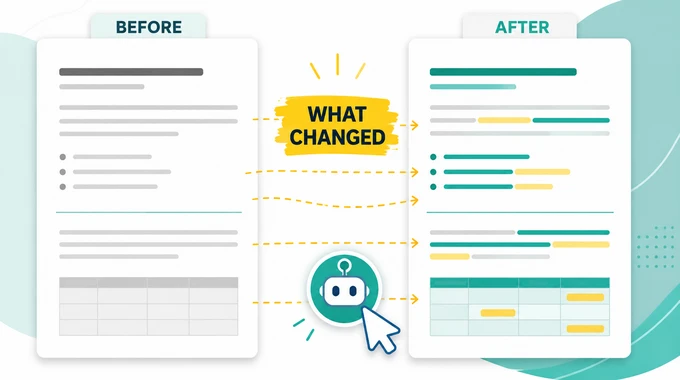
The output should not be a long report. A final review is only useful when it becomes a clear repair queue.
Sort findings into three groups:
must fix before launch,quick polish if time allows, andlater or ignore.Every must-fix item needs a page, component, issue, evidence, why it matters, suggested fix, priority, and acceptance check. If the agent cannot show evidence, the issue should not block launch.
Hand Off Only Approved Fixes
Keep review and implementation separate. The review agent finds issues, the owner approves the queue, and the coding agent receives only the approved fixes.
For Codex or another builder, keep each task small and specific. Tell it to preserve the existing style, avoid unrelated redesigns, and report the files changed plus checks run.
Do not let the fix queue become a second build brief. If a finding requires a broad redesign, new positioning, or new page strategy, move it back to the right earlier stage instead of forcing it into launch finalisation.
Confirm Fixes Without Reopening The Project
After approved fixes are applied, run one final confirmation pass. This pass should verify the accepted items, not search for new ideas.
Use the same URL scope, benchmark links, priorities, and acceptance checks. Ask for a short status for each approved item: fixed, still broken, or needs human judgement.
If the confirmation pass finds a large structural problem, do not patch around it at the end. Mark it as a separate follow-up or move the project back to the relevant earlier stage.
Review & Finalisation Script
Agent Mode
Review and finalise this website before launch.

Inputs:
- Website URL or URL list:
- Intended audience:
- Business goal:
- Priority pages:
- Priority visitor flows:
- Benchmark links:
- Launch constraints:
- SEO, accessibility, tracking, and consent requirements:
- Known decisions that should not be reopened:

If any required input is missing, stop and ask for it before reviewing. Do not invent missing values.

Start with pre-launch functional checks:
1. Confirm URL scope and list anything out of scope.
2. Check desktop layout, navigation, content clarity, spacing, media, links, calls to action, forms, and conversion flow.
3. Check mobile layout, text wrapping, tap targets, menu behaviour, media crop, forms, button visibility, and section order.
4. Test the main visitor flows from first impression to intended action.
5. Check SEO and AEO basics: titles, descriptions, headings, internal links, crawlability, indexation rules, canonical logic, and obvious schema candidates.
6. Check accessibility basics: contrast, keyboard access, focus states, alt text, labels, heading order, readable structure, and touch targets.
7. Check tracking and consent basics: analytics events, form tracking, consent banner behaviour, blocked scripts, cookie categories, and external setup notes.

Then run a point-of-view review from the perspective of a first-time business visitor and a stakeholder checking launch readiness. Compare the site against the benchmark links. Be critical and concise. Do not compliment the work unless it explains a decision.

Return only a prioritised fix queue with:
- page
- component
- category
- issue
- evidence
- why it matters
- suggested fix
- priority
- acceptance check

Use only these priorities:
- must fix before launch
- quick polish if time allows
- later or ignore

Separate launch risks from taste preferences. Do not redesign the site. Do not reopen broad strategy, positioning, or structure tasks unless they clearly block launch.

End with:
1. a short implementation handoff prompt for the approved fixes
2. a confirmation checklist that verifies accepted fixes without reopening the whole project