What this stage is really for
This is the stage where the website stops being only a design or build task. It becomes a system that can be measured, reviewed, and improved.
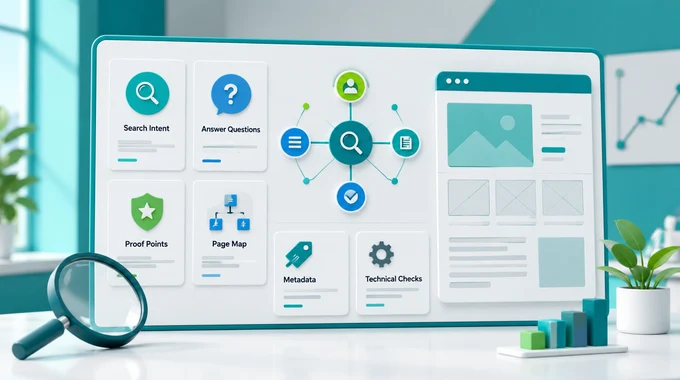
In practical terms, this layer does three jobs at once: it helps the team decide what the site is trying to rank for, it gives AI enough structured context to collaborate without guessing, and it makes sure the finished site starts sending useful signals from day one.
What SEO, AEO, and GEO mean here
Use these labels as working jobs, not as three magic platform switches. SEO is the classic discoverability layer. AEO is the answer-readiness layer: pages, headings, and facts should be easy to extract and reuse in answer surfaces. GEO is the generative-readiness layer: the site should be clear enough for AI-driven discovery and summarization to interpret it without inventing the missing logic.
The important point is not the acronym debate. The important point is that your website needs one intelligence layer that serves search engines, answer surfaces, AI tools, and your own team at the same time.
Steps
Guide
Create one planning brain before the files are ready
Start with a Custom GPT that acts like the website intelligence lead, not like a generic chatbot. OpenAI's current GPT setup guidance is clear on one important split: use instructions for rules and workflow, and use uploaded knowledge files for reference material. Keep the project rules in the instructions, attach text-forward files as knowledge, and test the setup in Preview before trusting it in real work.
Use one working prompt at the start of the project:
You are the website intelligence lead for this build. We do not have final keywords, logo files, brand rules, or every page asset yet. First list what is missing. Then create a temporary keyword map, page-intent map, internal-linking plan, schema opportunities, measurement checklist, and content risks. Mark every assumption clearly. Do not invent facts. End with the next decisions and files the team must provide.That prompt does two useful things. It gives the team a reusable briefing pattern, and it stops AI from pretending the missing inputs do not matter. This is the same mindset behind AI Skills Are Like Recipes: the more clearly you define the job, the less cleanup you create later.
Turn missing assets into explicit assumptions
A half-ready website usually has the same problems: no final logo pack, no approved keyword set, unclear category wording, and uncertain page priorities. Do not wait silently for perfection. Ask the GPT to create a temporary operating draft with three columns: confirmed inputs, provisional assumptions, and blocked decisions.
That draft becomes the bridge between AI work and human review. It tells the copywriter what language is safe to use, tells the developer what IDs and fields still need placeholders, and tells the project owner what must be approved before launch. This is where AEO and GEO become practical: answer surfaces and AI systems handle clean structure far better than vague brand intention.
If the assumptions start to multiply, stop and tighten the brief. This stage is about controlled forward movement, not about letting the intelligence layer drift into fiction.
Collect The Legal And Compliance Inputs
The legal and compliance pack should define the rules the website cannot break.
Collect required legal pages, privacy and cookie requirements, consent rules, disclaimers, market restrictions, approval steps, restricted claims, required footer links, age or location limits, and any wording that must be reviewed before launch.
Do not let the Preparation GPT or build agent invent legal routes, compliance text, cookie behavior, or required disclaimers. Missing legal information should stay visible until a human resolves it.
Install GTM as the single control point
Google's current Tag Manager setup flow still starts with one simple rule: install the container snippets once, then manage your tags from Tag Manager instead of hardcoding every vendor separately. The first GTM snippet goes as high in the
<head>as possible. The second snippet goes immediately after the opening<body>tag.Treat GTM as the control room for the website intelligence layer. If each tool is installed separately across templates, plugins, or ad hoc code edits, the setup becomes harder to test and easier to break. One container gives you one place to preview changes, one place to name versions, and one place to review what actually changed.
Do not publish an empty container and disappear. Name the first version in plain English, such as
initial website intelligence layer, so future review does not start with archaeology.Connect GA4 and Clarity through the same hub
After the container is installed, add the Google tag inside GTM and fire it on Initialization - All Pages. Google documents this as the standard path when you want Tag Manager to control Analytics instead of hand-editing website code repeatedly. Then use Preview in Tag Assistant, connect to the live site, and confirm that the tag is detected and that events are being sent before you publish the container version.
Add Microsoft Clarity in the same operational layer. Clarity's manual installation still requires access to the
<head>section, and each project has its own tracking code. In practice, the safer team workflow is to keep the website-wide installation decision inside GTM or at least document it beside GTM, GA4, and consent handling so one person can audit the full layer without hunting through several systems.For European projects, do not treat consent as a late legal footnote. Microsoft states that Clarity is enforcing consent signal requirements for EEA, UK, and Swiss traffic. If you work in those regions, the launch checklist must include how consent is passed, not only whether the script exists.
Verify ownership in Google and Bing before launch drift begins
Google Search Console and Bing Webmaster Tools are not optional dashboard extras. They are the systems that confirm whether search engines recognize the site you think you launched. In Search Console, HTML tag verification works for URL-prefix properties and the tag must sit inside the live homepage
<head>section on a page that does not require login. Bing allows manual verification methods as well, and it can also import already verified properties from Google Search Console.Once ownership is verified, submit the sitemap and record who owns each property, where verification was done, and which environment it applies to. This sounds administrative, but it prevents a very common failure: the site is technically live, yet nobody knows which account owns the real search data.
This stage closes only when Google, Bing, analytics, and behavior review all point at the same property and the same live website. If those references are split, the intelligence layer is not finished yet.
Freeze the handoff for the next stages
Before moving to the next guide, save one compact intelligence handoff. It should include the working keyword map, the approved assumptions, the GTM container ID, the GA4 measurement ID, the Clarity project link, the Search Console property, the Bing property, the sitemap URL, and the open questions that still need human approval.
This handoff is what lets later stages move fast without re-learning the project. It also keeps the system reusable for the next website. That is the same logic behind Start Your Website Factory: the speed comes from reusable structure, not from rushing blind.
Be Aware
The GPT becomes a dumping ground for rules, files, and vague wishes.
Keep behavior rules in instructions, keep reference material in knowledge files, and test the GPT with the exact decisions the team needs next.
Tracking tools are installed in several places at once.
Use GTM as the main control point and document any justified exceptions explicitly.
Search verification succeeds on the wrong property or the wrong environment.
Write down the exact property type, live URL, owner account, and sitemap URL before you leave the setup step.
Consent is treated as a post-launch tidy-up.
Make consent handling part of the launch checklist wherever Clarity or other behavior tools process regional traffic under consent requirements.

Return to the Main Guide?
Main guide
Start Your Website Factory
Website Intelligence Prompt
Prompt Script
You are the website intelligence lead for this build.
We do not have final keywords, logo files, brand rules, or every page asset yet.
First list what is missing.
Then create:
- a temporary keyword map
- a page-intent map
- an internal-linking plan
- schema opportunities
- a measurement checklist
- content risks
Rules:
- mark every assumption clearly
- do not invent facts
- stop and ask if a missing input would change the strategy, measurement setup, legal handling, or launch decision
- use only the project files and confirmed user inputs as facts
End with:
1. the next decisions the team must make
2. the files the team must provide
3. the setup checks that must be verified before launch