Favicon Generators Compared: 6 Tools for Icons, Manifests and OG Images
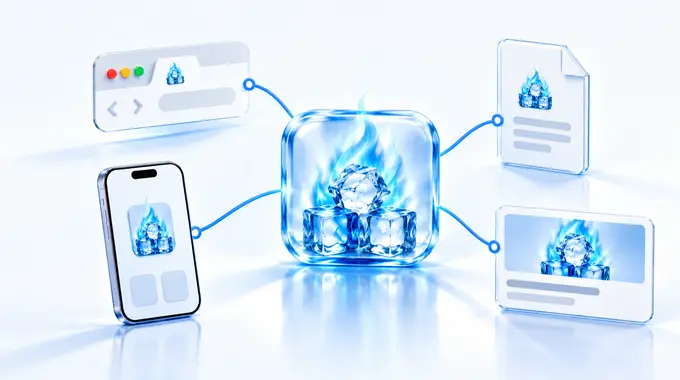
The favicon may be the smallest asset in a website launch, but it is rarely one file anymore. A browser tab needs a tiny icon. An iPhone home-screen shortcut needs an Apple touch icon. An installable web app reads icon references from a manifest. A shared link needs a wide Open Graph image.
Those jobs can start from the same logo, but they do not end with the same file. The useful comparison is not who can resize a square image, but how much of the publishing job each route actually finishes.
Check what you already have before you open any of them. Next.js builds the whole set from files in the app directory: icon.png, apple-icon.png, a manifest.ts, and an opengraph-image file it renders at build time. Hosted builders such as Squarespace, Wix, Shopify, and most WordPress themes take one square image and write the markup for you. If your stack already does that, none of the six routes below is required. They earn their place when you own the <head> yourself, when you need a wide social image the platform will not make, or when you want the files as plain assets you can inspect.
I compared six routes by source input, browser icons, manifest output, Open Graph support, and setup burden. The grades are editorial workflow-fit scores, not laboratory measurements of image quality: the best route depends on what your release needs to ship.
Favicon Generator
The free Built by meFavicon Generator is the broadest single-pass publishing pack in this comparison. I built it, so that relationship belongs in the comparison rather than behind the ranking — and it is also why this section is the most critical one here.
Built by Nikita. No affiliate tracking.
The browser-based generator accepts PNG, JPG, JPEG, WebP, and SVG files. It lets you fit or crop the logo, adjust padding, and choose a transparent, solid, or automatically detected background. There is no upload, account, or quota: processing happens locally in the browser.
The pack is 12 files: favicon.ico, 16x16 and 32x32 PNGs, an Apple touch icon, 192x192 and 512x512 Android/PWA icons, a Microsoft tile, a pinned-tab SVG, site.webmanifest, browserconfig.xml, plus separate Open Graph and Twitter/X images. The two social images are the real difference: they are drawn at 1200x630 with the logo and title composed into the frame, not squares stretched to fit. The interface also generates copy-ready favicon, manifest, Open Graph, Twitter/X, and theme-colour tags.
Two limits are worth stating plainly, because a 12-file pack is not automatically better than a five-file one. The SVG in the pack is safari-pinned-tab.svg, a legacy Safari mask icon — it is not a modern rel="icon" type="image/svg+xml" favicon, which RealFaviconGenerator does produce. And mstile-150x150.png and browserconfig.xml serve old Microsoft tiles; the tool's own generated tag block does not reference them, so most sites can delete both files without losing anything.
The rest of the weakness is the other side of its focus: the output follows a defined recipe. It does not offer RealFaviconGenerator's platform-by-platform preview and deployed-site checker, and it is not a build dependency that reruns when a source asset changes.
Use it for a small business site, landing page, or blog when you want the favicon, PWA, metadata, and share-image work in one pass.
RealFaviconGenerator
RealFaviconGenerator is the strongest checking-led route here, and the highest-graded one. Its product is not just a download button; it combines platform previews, installation instructions, and a checker for the deployed site.
Independent link. No affiliate relationship, no referral tracking.
The current official page highlights ICO, PNG, and SVG favicon support and shows previews for desktop, Android, iOS, and search results. Its documentation also covers Apple touch icons, Android/PWA icons, and site.webmanifest.
That preview layer matters because a logo that looks balanced in a square source can feel cramped after a platform applies a rounded mask or scales it down. Seeing the treatment before export can catch a weak source mark earlier than a file list does.
The favicon checker is an equally useful distinction. It moves the job from 'the ZIP downloaded' to 'the live website exposes the intended files and markup'. That is a much better definition of done for a production site.
The trade-off is scope. RealFaviconGenerator is a favicon and app-icon specialist; it does not replace a separate Open Graph image workflow.
Use it when platform preview and post-deployment checking matter more than producing every small launch asset in one package.
favicon.io
favicon.io is the quickest conventional browser generator in the group. It supports image conversion and separate text and emoji routes, which helps when you do not yet have a polished logo file.
Independent link. No affiliate relationship, no referral tracking.
Its current image generator advertises a seven-file package containing an ICO, small PNG browser icons, an Apple touch icon, Android icons, and site.webmanifest. It also supplies the short set of HTML link tags needed to connect the package to the site.
The workflow is easy to understand. That matters for an operator who needs a recognisable browser icon and standard home-screen files without learning every platform term first.
Its strength is speed rather than breadth. The text and emoji routes can also produce a useful temporary mark for an internal tool or prototype.
The limitation is that the workflow stops at icons and manifest metadata. It does not create a branded Open Graph card and offers less platform-specific tuning and live-site diagnosis than RealFaviconGenerator.
Use it when you need a standard icon ZIP quickly and will handle social previews elsewhere.
RedKetchup
RedKetchup sits between a simple generator and a small icon editor. It accepts a wide range of source formats and gives you direct control over crop, rounded corners, background, text, and upscaling.
Independent link. No affiliate relationship, no referral tracking.
Its published package includes browser ICO and PNG sizes, an Apple touch icon, 192x192 and 512x512 Android icons, site.webmanifest, and a ready-to-copy HTML snippet. The ICO itself contains several resolutions rather than a single bitmap.
This makes RedKetchup useful when the source mark needs adjustment before export. A long or tightly cropped logo often needs a square crop, more breathing room, or a solid background before it survives at browser-tab size.
The tool's help page says image processing happens locally in the browser. That is useful workflow information, but it should be described as local processing rather than inflated into a general security guarantee.
The weakness is that the extra controls remain focused on icon production. The package does not list Open Graph images and does not provide the same deployed-site checker as RealFaviconGenerator.
Use it when you want a conventional icon and manifest package but need more crop and ICO control than a basic converter provides.
@vite-pwa/assets-generator
@vite-pwa/assets-generator is the developer route. Instead of visiting a website and downloading a ZIP, you install an MIT-licensed package and generate assets from a source image through a command-line interface or API.
Independent link. No affiliate relationship, no referral tracking.
Its minimal-2023 preset creates an ICO favicon, supports an SVG favicon, and generates transparent PWA icons, a maskable 512x512 icon, and an Apple touch icon. It can also print the HTML links and manifest icons entry needed to wire those assets into the project.
That last phrase matters: a manifest icons entry is not necessarily a complete web app manifest. Your project still owns values such as its name, display behaviour, colours, start URL, and any other settings it uses.
The advantage is repeatability. Keep the source icon and configuration in the project, add the generation command to the development workflow, and recreate the output when the brand asset changes. The configuration can be reviewed beside the rest of the code.
The cost is setup. This route assumes a Node-based project and someone comfortable with package installation, commands, paths, and manifest configuration. It does not solve Open Graph composition by itself.
Use it when favicon and PWA assets belong in a maintained build process. That approach fits the reusable production logic in Start Your Website Factory.
Hand-rolling
Hand-rolling is the control option: resize or redraw each asset, build the ICO, write the manifest, add the HTML links, and create the social images yourself.
Independent link. No affiliate relationship, no referral tracking.
It is the only route that lets you make deliberately different artwork for every surface. You can remove tiny details from the 16x16 version, protect a maskable icon's safe area, use an adaptive SVG favicon, and design the Open Graph image as a proper wide composition rather than a resized square.
That control can be valuable for a mature brand or a product with unusual platform requirements. It also avoids accepting a generator's default file set simply because it is available.
But manual control creates manual responsibility. You need to keep dimensions, filenames, paths, JSON, metadata, and fallbacks consistent. When the logo changes, the whole set has to be recreated or carefully automated.
The common failure is not poor artwork; it is an incomplete installation. One missing link tag, incorrect manifest path, or stale social image can leave different surfaces showing different versions of the brand.
Use hand-rolling when exact art direction justifies the maintenance. Then include the deployed icon paths and share preview in the Review & Finalisation pass.
Recommendation
Personal Recommendation
Start with the surfaces, not the generator, and keep the target small. The modern minimum for most sites is short: favicon.ico, an SVG icon, a 180px Apple touch icon, and a manifest pointing at 192px and 512px PNGs. Everything past that list is a legacy file you are choosing to carry.
For detailed platform previews and a check against the live site, choose RealFaviconGenerator — it is the safest default when the job stops at icons. For browser tabs, home-screen icons, a manifest, metadata, and a real 1200x630 social image in one pass, n-g.be publishes the broadest package here; broadest is not the same as best-graded, and you will want to delete its two Microsoft tile files. For a quick standard icon ZIP, choose favicon.io; choose RedKetchup when the source needs more crop and ICO control.
For a maintained Vite or PWA codebase, @vite-pwa/assets-generator is the most repeatable route. Hand-roll only when the brand needs deliberately different artwork or metadata for each surface.
Whichever route you use, follow the same release sequence: define the surfaces, prepare a simple square source, inspect the generated files and metadata, deploy them, then check the live URLs and previews. Generation is the middle of the workflow, not the end.