Background Removers Compared: 7 Free Alternatives to remove.bg
The baseline is closing. On 9 September 2026, remove.bg's own site carries a banner on every page: the standalone website will no longer be available from 1 December 2026 at 09:00 CET. Background removal moves into Canva, and its pricing page says purchased credits expire on the same date.
That turns a routine tool comparison into a migration question. If remove.bg is the link in your team's documentation, the bookmark in a freelancer's browser, or the step in a written process, it stops working in under three months. Canva is not a rival on this list any more — it is the destination.
So the useful question is not which tool wins a cut-out contest. It is which tool fits the complete job you need to finish, and will still be there next year? The differences that decide it appear after you press Download: export resolution, account gates, batch limits, repair controls, and the work needed to finish the image.
This comparison does not declare a universal cut-out winner. Hair, fur, glass, spokes, shadows, and low-contrast edges change the result from one image to the next, and no page of marketing copy predicts that for your photos. For a related look at image export workflows, see PNG to WEBP: Reached Your Limit? Use Alternatives!.
N-G.BE Background Remover
I built the N-G.BE Background Remover, so this section comes with an obvious bias. It is listed first because that is the house rule for my own tools, not because it wins. It is not here because I can prove it creates the best cut-out. I cannot.
Built by Nikita. No affiliate relationship or referral tracking.
Start with what it is not. The removal itself is not my model. It runs the browser-side IMG.LY background-removal package, which downloads its runtime and ONNX model on first use. So on pure mask quality, this tool is only as good as an open component that anyone else could also use — and a specialised cloud remover may well handle complex hair, glass, fur, or low-contrast edges better.
And here is my ceiling, since I printed everyone else's. Uploads are limited to PNG, JPG, or WebP, 10 MB, 8000 pixels per side, and 16 megapixels. That is smaller than the 10,000 by 10,000 pixels Erase.bg advertises. "No quota" on this table means no per-image counter and no credits, not unlimited resolution.
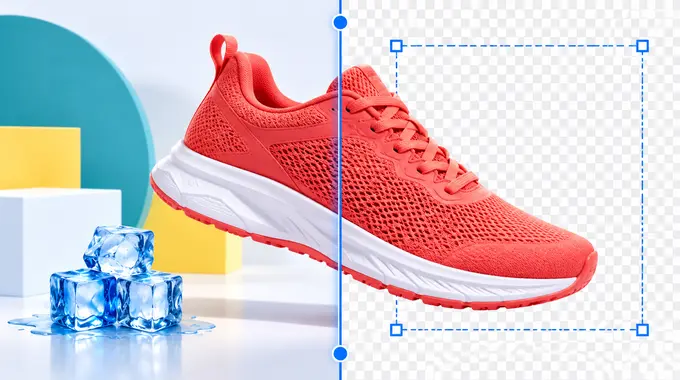
The advantage is everything around the cut-out. After removal, the same screen gives you a before/after comparison slider, crop and object extraction, resize with a target output size, rotate and flip, and a background choice of transparent, white, black, a solid colour, a gradient, or a blurred version of the original. Watermarking accepts your own uploaded file with position and size controls. Four presentation presets cover a social post square, a website hero image, a white product card, and a soft shadow card. Exports are PNG, JPG, or WebP, or straight to the clipboard.
Files are processed locally, with no upload, no account, and no per-image quota. You can also paste an image or an HTTPS image URL instead of choosing a file. That matters for repeated jobs where moving files between tools creates more friction than the removal itself.
Local processing is not a general security guarantee. It only describes where this tool handles the image. Browser, device, and company rules still matter.
Use it when you need a no-quota finishing workflow inside your budget and pixel ceiling, and the cut-out passes your own edge check. It is graded 3.5 because it is a strong finisher on an ordinary mask, not a specialist on a hard one. Keep a specialist ready for difficult edges.
remove.bg
remove.bg has been the baseline for years because background removal is its main job and its name became shorthand for the category. That era ends this year.
Independent link. No affiliate relationship, no referral tracking.
Checked on 9 September 2026, a banner across the site states that the standalone website will not be available from 1 December 2026 at 09:00 CET, and points users to Canva. The pricing page repeats it: pay-as-you-go credits expire 1 December 2026 at 09:00 CET. Its plans still list €3 for 3 credits and €9 per month for 40 credits, with API pricing redirected to Leonardo.ai.
The free boundary still applies until then. Free website downloads are low-resolution previews up to 0.25 megapixels, with a bonus credit on a free account for testing one high-resolution download, and free use limited to personal work. That is enough for a small profile image, mock-up, or internal draft. It is not enough for a product page, slide, advert, or print layout.
Do not buy credits now. Anything you purchase expires on the shutdown date, and any process document, onboarding guide, or automation pointing at remove.bg needs rewriting before December rather than after it breaks.
Its focused workflow and repair controls are still the reference for difficult edges over the next few weeks. It is graded 2 out of 5 only because of the closure: a tool with a published end date cannot be the answer to "what should we standardise on?"
Canva
Canva is no longer just another option in this list. It is where remove.bg's background removal is going, which makes it the default migration path for anyone whose workflow ends in a designed asset.
Independent link. No affiliate relationship, no referral tracking.
Its editor can remove the background, restore or erase missed areas, replace the scene, and place the cut-out inside a high-resolution PNG design. It supports people, animals, and objects across common image formats.
The strength is context. If the final asset already lives in Canva, removing the background there avoids another download and upload cycle. For a marketing team that already pays for Canva, the shutdown is close to a non-event.
The weakness is access clarity, and it is now more important than it was. Canva's current official page points to Pro for unlimited use without stating a precise free allowance, and remove.bg's own farewell copy describes the removal tool as free to try in HD as part of Canva's Visual Suite. "Free to try" is not the same as "free to use every week".
Use Canva when you already build the final asset there. If you are moving off remove.bg specifically to avoid paying, confirm the current free allowance yourself before you make Canva the standard — the migration is convenient, not automatically cheaper.
Adobe Express
Adobe Express is the easiest alternative when the cut-out belongs inside a designed asset and you do not want Canva.
Independent link. No affiliate relationship, no referral tracking.
Its quick action accepts JPEG, PNG, and WebP files up to 40 MB. Adobe says it is free to use and does not require an account to get started. The result downloads as a transparent PNG.
The path into the full Express editor is the reason to choose it. A marketer can add a new background, place text, apply a crop, and build a social graphic without changing products.
The weakness is focus. The broader editor brings more choices than someone needs for one transparent PNG, and some assets and advanced functions sit inside Adobe's wider plan structure.
Use Adobe Express when the next step is a flyer, social post, profile graphic, or presentation asset.
Photoroom
Photoroom is built around product photography, so its workflow starts closer to an online listing.
Independent link. No affiliate relationship, no referral tracking.
It can keep a background transparent, make it white, apply a colour, or continue into product-image tools. Its official page lists PNG, JPEG, and WebP exports, plus resizing and replacement backgrounds.
That makes it useful for sellers who need consistent catalogue images rather than isolated cut-outs. The product aims to turn an ordinary photo into something ready for a marketplace.
The limit is the upgrade boundary. Photoroom says users can start free, while high-resolution exports and more advanced tools are paid, and the exact free allowance can change.
Use Photoroom when product presentation matters more than a bare transparent file. Check the current export resolution before processing a large catalogue.
Pixlr
Pixlr is the practical batch option in this group, and batch is the one thing remove.bg made people pay for.
Independent link. No affiliate relationship, no referral tracking.
Its official background remover accepts JPEG, PNG, and BMP. It can keep the result transparent or place it on black or white, and it lets you select several images and save the results together as a ZIP.
That matters when the job is repetitive. Even a good single-image tool becomes slow when twenty straightforward product shots need the same first step — which is exactly where my own tool, one image at a time, stops being the right answer.
The remover itself is simple, while deeper editing belongs to Pixlr's wider editor and plan structure. The official remover page does not make every account and usage boundary equally clear, which is why it is graded 3 rather than higher.
Use Pixlr when several straightforward images need fast removal. Test a difficult edge before committing the full batch.
Fotor
Fotor combines automatic removal with visible repair and finishing tools.
Independent link. No affiliate relationship, no referral tracking.
Its current product page advertises free HD PNG downloads without a watermark or sign-up. It accepts common image formats, offers a magic brush for restoring or erasing areas, and can replace the background inside the same workflow. Fotor also promotes batch removal for up to 50 images.
That is a useful combination when an operator wants both volume and manual correction without moving every file into a separate editor.
The caveat is consistency of the offer, and it is a real one. Other current Fotor pages describe credit-based access for related product workflows, so the exact free route may depend on the feature, session, region, or account state. The table says "free route claimed" rather than "free" for that reason — this is Fotor's marketing copy, not a result I verified end to end.
Use Fotor when you expect the automatic mask to need repair. Confirm the current download terms on a single image before committing a large batch.
Erase.bg
Erase.bg is the alternative to check when original-size output is the deciding factor.
Independent link. No affiliate relationship, no referral tracking.
Its official page supports PNG, JPEG, JPG, WebP, and HEIC, with image dimensions up to 10,000 by 10,000 pixels, and describes original-size downloads and background editing. That is the largest ceiling on this page, mine included.
That sounds more generous than a preview-limited tool, but the free language needs care. The same page describes free personal website use and promotes starting credits after sign-up, while commercial and bulk workflows belong to the wider PixelBin product.
In other words, the page offers a useful high-resolution path, but not a simple promise of unlimited business use.
Use Erase.bg for occasional high-resolution personal images. Check the current credit and commercial terms before using it for client or catalogue production.
Test the Download, Not the Demo
A fair comparison needs one image from your real workload. Do not use only a clean portrait against a contrasting wall.
Choose an image containing the edge that normally causes trouble: hair, fur, glass, spokes, shadows, translucent material, or similar foreground and background colours.
Run that file through two likely tools. Download the result, inspect it at 100%, and place it on both light and dark backgrounds. Look for missing pieces, bright halos, hard edges, and background fragments.
Then finish the real job. Crop to the target ratio, resize to the final pixels, add the required background or watermark, and export in the format the destination accepts.
That final step often changes the winner. The best cut-out preview can still create the slowest overall workflow.
Recommendation
Personal Recommendation
Deal with the deadline first. If remove.bg appears in a process document, an onboarding guide, a bookmark bar, or a script, it needs replacing before 1 December 2026. Do not buy credits that expire on the same day, and do not assume the Canva route is free for your volume until you have checked it.
Then pick by the job, not by the cut-out. Canva and Adobe Express fit designed assets — Canva especially if you already pay for it, since that makes the migration nearly free. Photoroom fits product listings. Pixlr is the one to reach for when the job is a folder of images rather than one. Fotor offers useful repair controls if you verify its free route yourself. Erase.bg is worth checking for occasional original-size output above 16 megapixels.
Use the N-G.BE tool when crop, resize, backgrounds, watermark, and export matter more than the mask itself, when local no-quota processing fits the job, and when your images sit under 10 MB and 16 megapixels. It does not beat any specialist on cut-out quality — it runs an open browser-side model that anyone can use. It keeps removal and finishing in one screen with nothing to sign up for, and that is the whole claim.
The most resilient setup is two tools: one daily workflow and one difficult-edge fallback. After December, make sure neither of them is a redirect.