How to Document a CSV: 5 Ways to Build a Data Dictionary Compared
An undocumented export looks harmless until the questions start. Does amount mean gross or net? Is created_at in UTC? Does a blank status mean unknown, pending, or not applicable? The file can show its values, but it cannot explain the business rules behind them.
That distinction drives this comparison. A useful data dictionary records structure and content, then adds meaningful field descriptions. The goal is not the method with the longest feature list. It is the lightest method that can still be accurate next month.
The grade is for one job: documenting an inherited CSV. dbt and Atlan score low here and are excellent at the job they are actually for, which is why the last two sections say when to stop reading this table and use them. One of the five is my own tool. It is listed first and that is disclosed — it ties with pandas at the top rather than winning, and the reason is a limit I hit while testing it for this article.
Everything below was run on the same file: a twelve-column customer_export.csv with order identifiers, dates, an email column with one blank, prices, a currency code, and a three-value status field. This follows the same path as dirty Excel to decision-ready analysis: understand the data before asking it to support a decision.
Data Dictionary Generator
I built this one, so the bias is declared before anything else. It is first in the table because it is mine and that is disclosed — not because it beat pandas. The two are level at 4 / 5, and if you can write five lines of Python, the next section is an equally good answer.
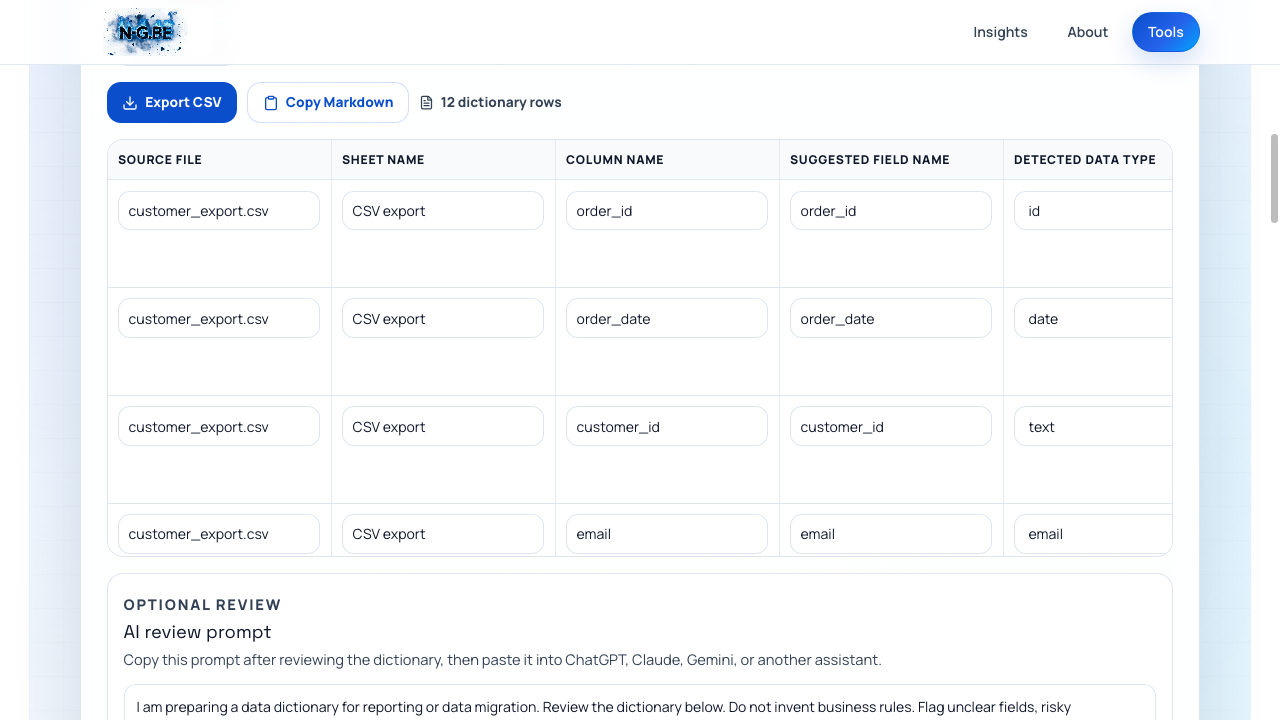
My own tool. I built it, so this is not an independent recommendation.
Drop in a CSV or XLSX up to 10 MB and it returns one row per field with fifteen columns filled in: source file, sheet name, original column name, suggested field name, detected data type, example values, empty-value count and percentage, unique-value count, likely-key and likely-required flags, then four editable columns — business logic, migration notes, reporting use, and review status. My twelve-column test file produced twelve rows in a second or two.
The last four columns are the point. Everything before them is inspection; those four are the questions a human still has to answer, and having them pre-printed as empty fields is what stops a first pass from ending at the type list.
Output leaves as Export CSV or Copy Markdown, and there is a third button that copies an AI review prompt — a paste-ready instruction that asks an assistant to flag unclear fields and risky assumptions without inventing business rules as fact. That last constraint is the difference between a review and a hallucination, and it is written into the prompt rather than left to the reader.
Now the limit, and it is a real one. The id type requires the column to be unique. I isolated it with a two-column file holding the same four values, one column unique and one repeating: the unique column came back as id, the repeating one as text. Identical values, different verdict.
That means a foreign key is never detected as an identifier. A customer_id in an order export repeats by definition — one customer, several orders — so it lands in text next to the free-text fields. In the same run, country (BE, NL, FR) and currency (EUR) also came back as text where category would have read better.
No patch fixes that, because it is not a bug. It is the ceiling on what any tool can infer from values alone: uniqueness is visible in the file, and *being a key* is a fact about the business. An inferred type is a guess with a professional font. Read the detected type as the tool's opening offer, not as a finding — the draft is worth having because correcting twelve rows beats writing twelve rows, not because it arrives correct.
For what it is worth, writing this article found a genuine defect as well: on 2 September 2026 dates written 2026-05-01 were detected as phone, while 01/05/2026 was read correctly. Separator-shaped digits were reaching the phone matcher first. It was fixed the same day and I re-ran the file to confirm — which is the argument for testing a tool on a real export rather than reading its feature list, including your own.
The page states that the file is used only in the browser session and is not stored permanently or sent to analytics. That is a product disclosure, not a security guarantee — treat it as you would any vendor's own statement, and keep to your organisation's rules for handling data.
Its other limit is scope. It documents a file. It does not create organisation-wide ownership, warehouse lineage, or a governed glossary, and it has no idea what happened to that file upstream. Use it for a one-off inherited export, or as the first pass before reviewed definitions move somewhere durable. The workflow is generate, challenge, confirm — never generate and publish.
pandas profiling
pandas is the evidence-first option, and the one that scales past the file in front of you.
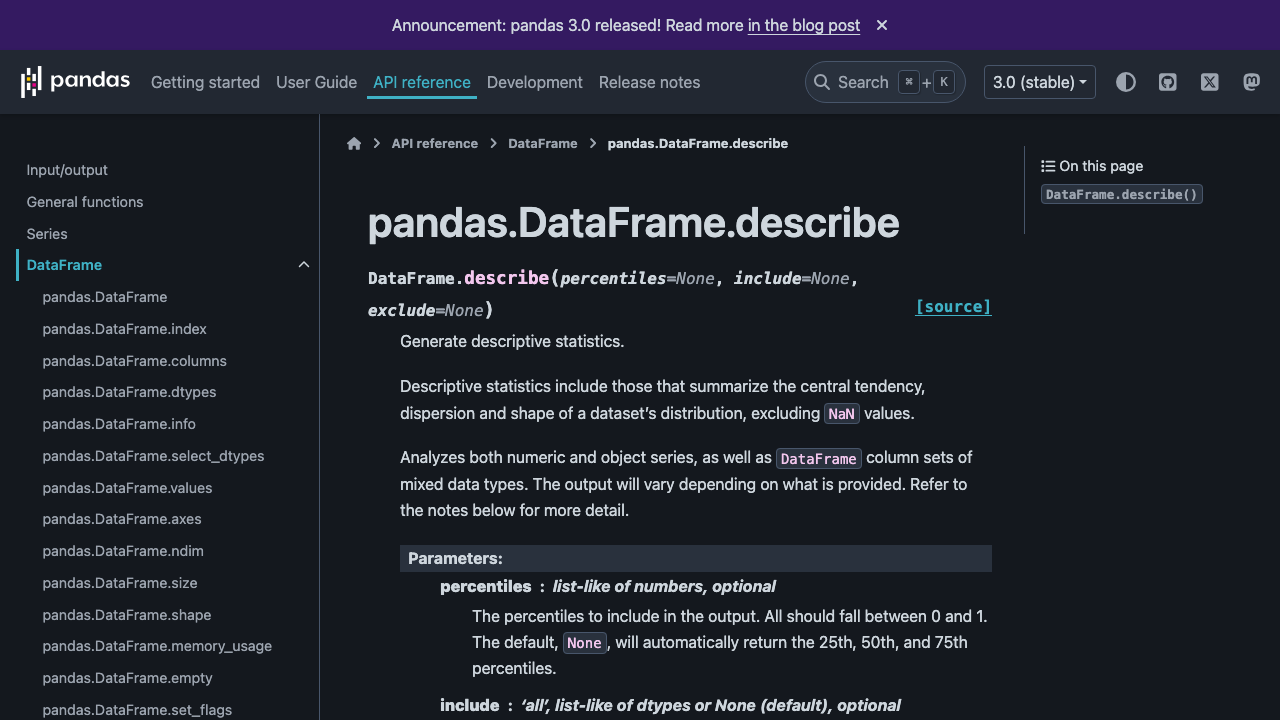
Independent link. No affiliate relationship, no referral tracking.
DataFrame.info() reports columns, non-null counts, and dtypes. DataFrame.describe() produces statistical summaries; on mixed data its default output covers numeric columns, and include="all" broadens the profile to everything. nunique() and value_counts() finish the job for identifiers and status codes.
That evidence surfaces the right questions. A supposedly unique identifier repeats. A status field contains a fourth value nobody mentioned. A date column loaded as text. The same repeating-identifier trap from the previous section is here too — nunique() tells you a column is not unique; it cannot tell you it is a foreign key. Profiling turns a vague review into a targeted one.
But profiling output is not a data dictionary, and this is the ceiling. It can report that order_status contains A, C, and P; it cannot confirm what those codes mean. It can infer an integer without knowing the field is an account number that must never be summed.
It also produces nothing a business owner can edit. A notebook is a poor review surface for the person whose knowledge you actually need, so plan a step that turns the profile into readable rows someone can correct.
Use pandas when the export will arrive again, when there are more columns than you want to click through, or when you need the profile to be reproducible by someone else. Score is level with the generator: better evidence, worse hand-off.
Manual spreadsheet
The manual method starts with a blank worksheet and one row per field: technical name, plain-English definition, data type, allowed values, null meaning, example, owner, and review notes.
Its strength is freedom. You can shape the dictionary around the business problem instead of around what a tool chose to detect, and hand it to almost anyone. It also works when the file is too unusual for any template — inconsistent headers, merged cells, two tables stacked in one sheet.
It is the best review surface of the five. A domain owner can comment in a cell without learning Python, a catalogue, or anything else, and that is usually the step that decides whether documentation gets finished.
The weakness is that every observation must be gathered and copied by hand. Wide files become repetitive, typed values quietly disagree with the source, and a workbook saved next to the export becomes a second undocumented artefact within a quarter.
Use a spreadsheet when the file is small, when context matters more than automation, and when a named person will actually review it. It is often the right final format even when another method produced the first draft — which is why the generator exports CSV and Markdown rather than trying to be the permanent home.
dbt docs
dbt docs is the right answer to a different question: not *what is in this file*, but *what does this model mean inside our pipeline*.
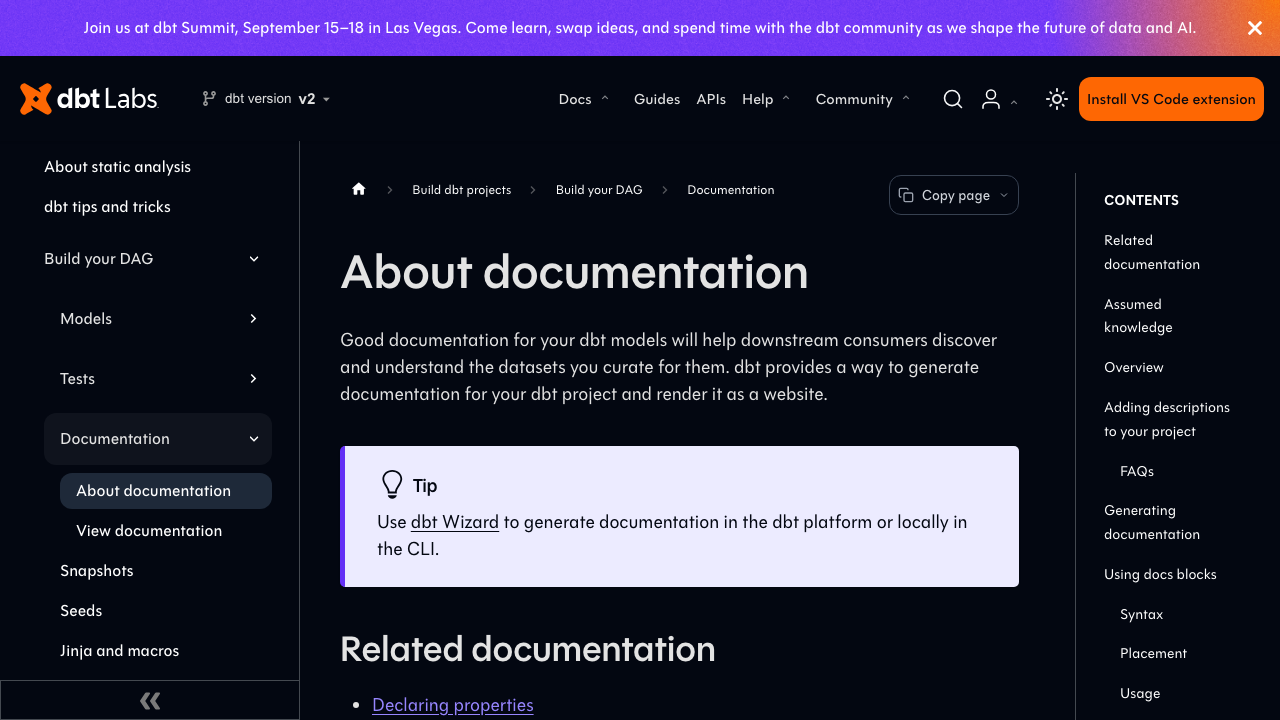
Independent link. No affiliate relationship, no referral tracking.
It combines model code, a project graph, column tests, warehouse metadata, and descriptions attached to models, columns, and sources. The benefit is proximity — documentation lives beside the transformation logic and moves through the same review as the code, instead of ageing in a workbook nobody opens.
dbt can introspect a warehouse relation and list columns with no human description present. Useful discovery, and also the boundary: the meaning still has to be written by a person and reviewed by another one.
The method assumes a warehouse, a dbt project, and people who will maintain YAML. Those are reasonable conditions for a data team and pure overhead for one export a colleague emailed you — which is what the 3 / 5 measures. On its own job it would score higher than anything else here.
Use dbt docs when the file is becoming a maintained source or model. Do not stand up a dbt project to explain one CSV unless the pipeline work was already justified.
Atlan data catalogue
Atlan operates at a wider scale than everything else in this comparison, and the grade is the clearest case of judging a platform by a job it was never sold for.
Independent link. No affiliate relationship or referral tracking.
Its catalogue connects asset descriptions to owners, business terms, domains, and lineage. That is how a team finds data it did not create, identifies who is responsible, and sees what breaks downstream when a field changes. None of the other four methods answers any of those questions.
Atlan supports CSV-based metadata import, and it is worth being precise about what that means, because the name invites a misreading: it imports metadata in Atlan's own format — it is not a drop-box for an arbitrary business export. The import application has to be available in the tenant and the user needs the right workflow permissions.
The trade-off is commercial platform adoption, connector and governance setup, and ongoing administration. For one unexplained file, that is more system than the job requires, and starting there usually means the file stays undocumented while the programme is being scoped.
Use Atlan when the dictionary belongs to a catalogue programme spanning several teams, systems, and owners. It is a destination for governed metadata — not the fastest way to understand today's export.
A data dictionary is a labelled map
Think of profiling as drawing the roads and measuring the distances. It shows which fields exist, how often values are missing, and where the patterns are.
The dictionary adds the labels and the local rules. A domain owner explains that one road is private, another changes name at the border, and a third closes on certain dates. Technical evidence becomes useful only when human meaning joins it.
The analogy has a limit worth naming. dbt and catalogues generate genuine lineage from the systems around the data, which is more than a label. Even then, a graph showing where a field came from does not explain how the business should read it — and a detector that reads a repeating customer number as free text is a reminder that the map is drawn by something that has never visited.
Use the same five-step review with every method
First, preserve the original file. Record where it came from, when it was exported, and who might know the process behind it.
Second, profile it: names, inferred types, blanks, distinct values, ranges, and suspicious examples. Keep observations separate from assumptions — the inferred type belongs in the first group only until a person confirms it.
Third, draft one row per field: technical name, plain-English meaning, representation, allowed values or units, null meaning, caveats, and owner. Any of the five methods can produce this; only the tools produce it without typing.
Fourth, ask the domain owner targeted questions about identifiers, dates, amounts, and status codes. A drafted row gives them something concrete to correct, which is a far better prompt than an empty request for documentation.
Fifth, publish one maintained copy beside the pipeline, catalogue, or team documentation that should stay authoritative. Give it an owner and an update trigger, or it becomes the next undocumented artefact — the same failure that makes most reporting unusable, covered in why most dashboards fail.
Before sharing, remove or mask sensitive example values. Documentation travels further than the export it describes, and example values are the part people forget to check.
Recommendation
Personal Recommendation
For one inherited export and no Python: Built by meData Dictionary Generator, then check every detected type before anyone reads it. For repeatable evidence across files that keep arriving: pandas. The two tie at 4 / 5 because they fail in opposite directions — one hands off well and guesses; the other measures well and hands off badly.
For a small or structurally odd file with an engaged owner, a plain spreadsheet still wins on the step that matters most, which is getting a human to correct it.
If the data already lives in a dbt project, keep the documentation next to the transformations. If the organisation needs discovery, ownership, business terms, and lineage across many systems, that is a catalogue programme and Atlan is a serious answer to it — just not to this question.
The deciding question is not which method produces the most metadata. Ask where the reviewed definition will live next month, and who will correct it when the source changes. Choose the lightest method with a credible answer.
For the same treatment of a different job, 7 Alternatives to WordHTML.com compares the tools that turn formatted text into paste-ready HTML, and Free Word Counters Compared does it for counting.